n8n Docker Compose Self-Hosting Guide (2026): Postgres and Runners
This post is adapted from Chapter 1 of the free book The Ultimate Guide to Deploying n8n Community Edition (2nd edition, September 2026, covering n8n 2.38). The full book is free in PDF and EPUB; it just asks for an email. Or take the self-hosting starter excerpt with no signup. Either way, join the House of Loops community to swap workflows with other self-hosters.
Overview
This guide gets a working n8n on your own machine in about fifteen minutes. You will install Docker, write two small files, start three containers, create your owner account, and run a workflow that proves the whole stack works end to end.
The stack you build here is the same stack you would run in production: PostgreSQL for storage, the n8nio/n8n image for the editor and the execution engine, and the n8nio/runners sidecar that executes every Code node. A production deployment changes the hostname, the proxy, and the number of containers. It does not change the shape of this file.

Prerequisites
- A laptop with at least 4 GB of free RAM and 5 GB of free disk.
- macOS 13 or later, Windows 10/11 with WSL2, or a Linux distribution with a current kernel.
- A terminal you are comfortable typing in.
- Administrator rights on the machine, to install Docker.
No Node.js. No npm. Nothing on your machine but Docker.
1. Why Docker, and Only Docker
n8n 3.0 ships in October 2026 and supports Docker-based self-hosting only. The npm and npx n8n install paths are already deprecated in the current 2.x line and will not carry forward.
Even before that deadline, Docker is the honest choice for a beginner:
- The runtime is fixed. The npm path still works today, but only on Node.js 20.19 through 24. Get that wrong and you get failures that look like n8n bugs. The image pins the runtime for you.
- Task runners need a second process. Since n8n 2.0, every Code node runs inside a task runner, not inside the main process. The supported production mode is
external, which means a separaten8nio/runnerscontainer. That is a Compose file, not annpm install. - What you build here is what you deploy. The file in this guide is the same file you would run on a VPS; see our self-hosting guide for the reverse-proxy version. Nothing has to be relearned.
Two rules for everything that follows. The command is docker compose with a space, never the old docker-compose binary. And every image is pinned to an exact version, never latest. Compose v2 is the only supported version, and the version: key at the top of a Compose file is obsolete, so you will not see it here.
2. Install Docker
2.1 macOS
Download Docker Desktop from https://docs.docker.com/desktop/setup/install/mac-install/ and pick the build for your chip. Apple Silicon and Intel each have their own installer.
Drag it to Applications, launch it, and accept the terms. When the whale icon in the menu bar stops animating, Docker is running. Confirm from a terminal:
docker --version
docker compose version
You want Docker 24 or newer and Compose v2.x. If docker compose version errors but docker --version works, Docker Desktop is out of date; update it before continuing.
Apple Silicon needs no special flags. The n8n images are multi-arch and run natively on arm64.
2.2 Windows with WSL2
On Windows you run Docker Desktop with the WSL2 backend, and you keep your project files inside the Linux filesystem.
-
Open PowerShell as Administrator and install WSL2 with Ubuntu:
wsl --install -d UbuntuReboot when prompted, then finish the Ubuntu first-run setup (username and password).
-
Install Docker Desktop from https://docs.docker.com/desktop/setup/install/windows-install/. In Settings → General, confirm Use the WSL 2 based engine is checked. In Settings → Resources → WSL Integration, enable integration for your Ubuntu distribution.
-
From now on, work inside the Ubuntu shell, not PowerShell. Open it from the Start menu or run
wslin a terminal, then verify:docker --version docker compose version
Put the project folder inside WSL, not on /mnt/c. Your Windows drives are mounted at /mnt/c, and that path works, but every file read crosses a translation layer between Windows and Linux. Bind mounts on /mnt/c are slow enough to make container startup and workflow execution visibly sluggish. Create your project under your WSL home directory (~/, which is /home/<you>) instead. Everything in this guide uses named volumes, which live inside WSL regardless, so the only file that matters is the Compose file itself.
2.3 Linux
Do not install Docker Desktop on Linux. Install Docker Engine plus the Compose plugin, using Docker's convenience script or your distribution's instructions at https://docs.docker.com/engine/install/.
curl -fsSL https://get.docker.com -o get-docker.sh
sudo sh get-docker.sh
Then add yourself to the docker group so you do not need sudo for every command:
sudo usermod -aG docker $USER
newgrp docker
docker compose version
Log out and back in if newgrp does not take effect in new terminals.
3. Create the Project Folder and Secrets
Everything lives in one folder. Two files, both of which you will reuse if you move this to a server later.
mkdir -p ~/n8n
cd ~/n8n
Windows users: this must be your WSL home, so run it in the Ubuntu shell.
Generate the two secrets now, because you will paste them into .env in a moment:
openssl rand -hex 32   # N8N_ENCRYPTION_KEY
openssl rand -hex 32   # N8N_RUNNERS_AUTH_TOKEN
N8N_ENCRYPTION_KEY encrypts every credential n8n stores. Generate it once and never change it. If you lose it, the credentials in your database are unreadable: the workflows survive a restore, the credentials do not.
N8N_RUNNERS_AUTH_TOKEN is the shared secret between the n8n container and the runners sidecar. Both containers must present the same value or the runner will not connect and every Code node will fail.
Now create .env, pasting your two generated values:
# Generate with: openssl rand -hex 32
N8N_ENCRYPTION_KEY=replace-with-64-hex-characters
N8N_RUNNERS_AUTH_TOKEN=replace-with-a-long-random-string

POSTGRES_USER=n8n
POSTGRES_PASSWORD=replace-me
POSTGRES_DB=n8n

# Laptop values. A server deployment replaces these with a real hostname.
N8N_HOST=localhost
GENERIC_TIMEZONE=America/Los_Angeles
Set GENERIC_TIMEZONE to your own zone. It decides when Schedule Trigger nodes fire.
Two notes on .env syntax, because n8n 2.0 upgraded its dotenv parser: a # starts a comment, and values containing backticks must be quoted. Your generated hex strings contain neither, so plain values are fine.
If this folder is ever a git repository, add .env to .gitignore before you commit anything.
4. Write compose.yml
Create compose.yml in the same folder:
services:
  postgres:
    image: postgres:18
    restart: unless-stopped
    environment:
      POSTGRES_USER: ${POSTGRES_USER}
      POSTGRES_PASSWORD: ${POSTGRES_PASSWORD}
      POSTGRES_DB: ${POSTGRES_DB}
    volumes:
      - postgres_data:/var/lib/postgresql
    healthcheck:
      test: ['CMD-SHELL', 'pg_isready -U ${POSTGRES_USER} -d ${POSTGRES_DB}']
      interval: 10s
      timeout: 5s
      retries: 5

  n8n:
    image: n8nio/n8n:2.38.1
    restart: unless-stopped
    ports:
      - '5678:5678'
    environment:
      N8N_ENCRYPTION_KEY: ${N8N_ENCRYPTION_KEY}
      DB_TYPE: postgresdb
      DB_POSTGRESDB_HOST: postgres
      DB_POSTGRESDB_PORT: 5432
      DB_POSTGRESDB_DATABASE: ${POSTGRES_DB}
      DB_POSTGRESDB_USER: ${POSTGRES_USER}
      DB_POSTGRESDB_PASSWORD: ${POSTGRES_PASSWORD}
      N8N_HOST: ${N8N_HOST}
      N8N_PROTOCOL: http
      WEBHOOK_URL: http://localhost:5678/
      N8N_EDITOR_BASE_URL: http://localhost:5678/
      GENERIC_TIMEZONE: ${GENERIC_TIMEZONE}
      TZ: ${GENERIC_TIMEZONE}
      N8N_RUNNERS_MODE: external
      N8N_RUNNERS_BROKER_LISTEN_ADDRESS: 0.0.0.0
      N8N_RUNNERS_AUTH_TOKEN: ${N8N_RUNNERS_AUTH_TOKEN}
      N8N_NATIVE_PYTHON_RUNNER: 'true'
      N8N_DEFAULT_BINARY_DATA_MODE: filesystem
      EXECUTIONS_DATA_PRUNE: 'true'
      EXECUTIONS_DATA_MAX_AGE: 336
      N8N_DIAGNOSTICS_ENABLED: 'false'
    volumes:
      - n8n_data:/home/node/.n8n
      - n8n_files:/home/node/.n8n-files
    depends_on:
      postgres:
        condition: service_healthy

  runners:
    image: n8nio/runners:2.38.1
    restart: unless-stopped
    environment:
      N8N_RUNNERS_TASK_BROKER_URI: http://n8n:5679
      N8N_RUNNERS_AUTH_TOKEN: ${N8N_RUNNERS_AUTH_TOKEN}
      N8N_RUNNERS_AUTO_SHUTDOWN_TIMEOUT: 15
    depends_on:
      - n8n

volumes:
  postgres_data:
  n8n_data:
  n8n_files:
What the less obvious settings do:
N8N_PROTOCOL: http,WEBHOOK_URL, andN8N_EDITOR_BASE_URLare the laptop values. Putting n8n behind a proxy switches these tohttpsand a real hostname and addsN8N_PROXY_HOPS; see our self-hosting guide for that walkthrough.N8N_RUNNERS_MODE: externalwithN8N_RUNNERS_BROKER_LISTEN_ADDRESS: 0.0.0.0tells the n8n container to open its task broker on port 5679 so the sidecar can reach it over the Compose network. The other mode,internal, runs the runner as a child process and is not for production; useexternalfrom the start so nothing changes later. (N8N_RUNNERS_ENABLEDwas required on 1.x and is deprecated from 2.0, so leave it out.)N8N_NATIVE_PYTHON_RUNNER: "true"enables the native Python runner. n8n 2.0 removed the old Pyodide-based Python in favour of this.EXECUTIONS_DATA_PRUNEwithEXECUTIONS_DATA_MAX_AGE: 336deletes execution history older than 14 days, so your laptop's Postgres volume does not grow forever.N8N_DIAGNOSTICS_ENABLED: "false"turns off telemetry.
Both images are pinned to 2.38.1, and they must always match. A runners image on a different version than n8n is unsupported.
5. Start the Stack
docker compose up -d
The first run downloads three images, so give it a minute or two. Then check what is running:
docker compose ps
You want all three services in state running, with postgres showing healthy. Watch n8n come up:
docker compose logs -f n8n
Wait for the line reading Editor is now accessible via: http://localhost:5678/. Press Ctrl+C to stop following the logs. That stops the log stream, not the containers.
6. Create Your Owner Account
Open http://localhost:5678 in a browser.
The first screen asks you to set up an owner account: email, first and last name, and a password. This is the account system built into n8n. There is no separate gate in front of the editor, and the first person to reach a fresh instance becomes the owner. Fill it in immediately, before anything else on your network can reach the port.
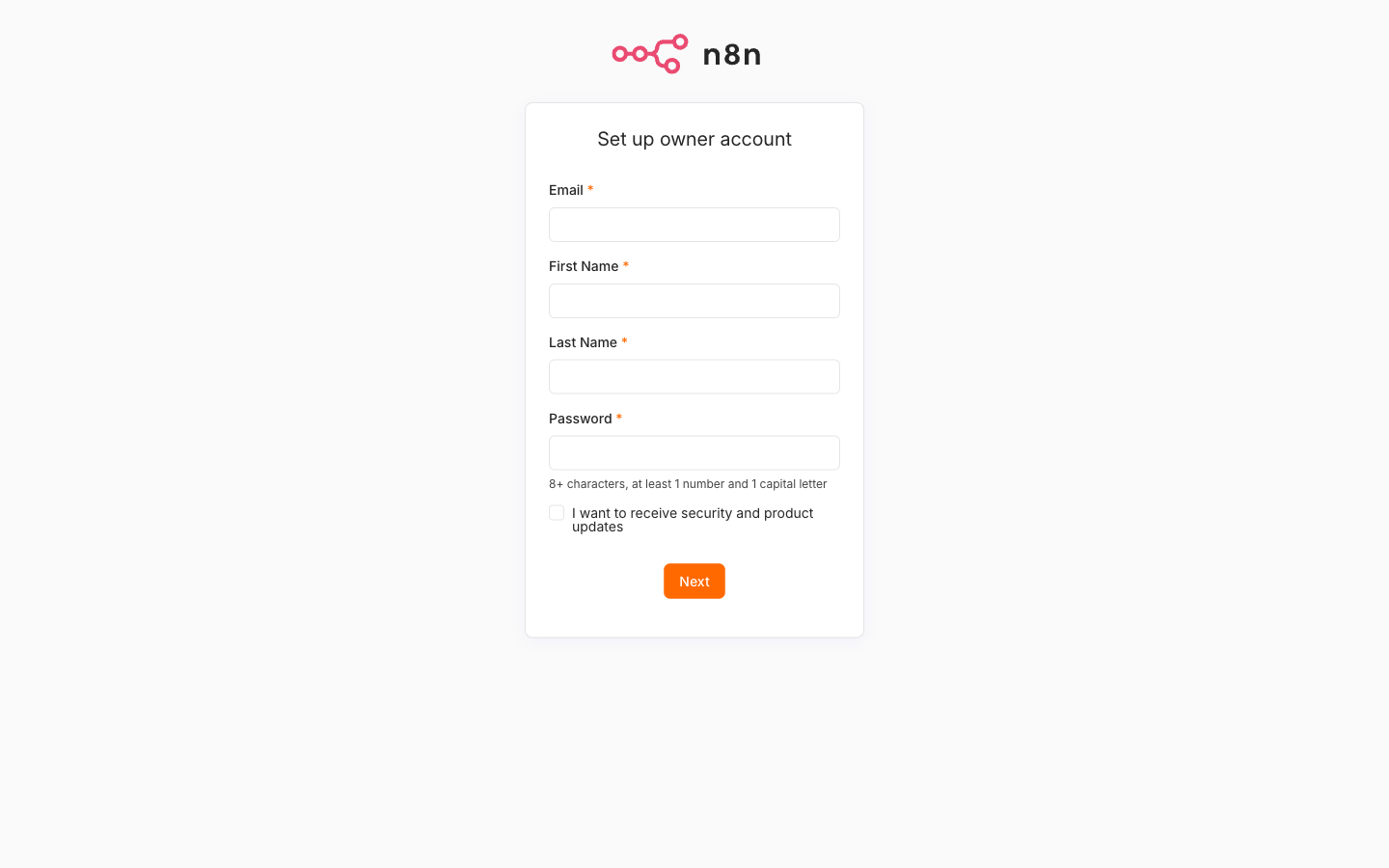
The owner can later invite other people from Settings → Users with the roles owner, admin, and member, and can turn on two-factor authentication from the personal settings menu. Single sign-on and Projects with role-based access control are paid-plan features, not part of Community Edition.
7. A Two-Minute First Workflow
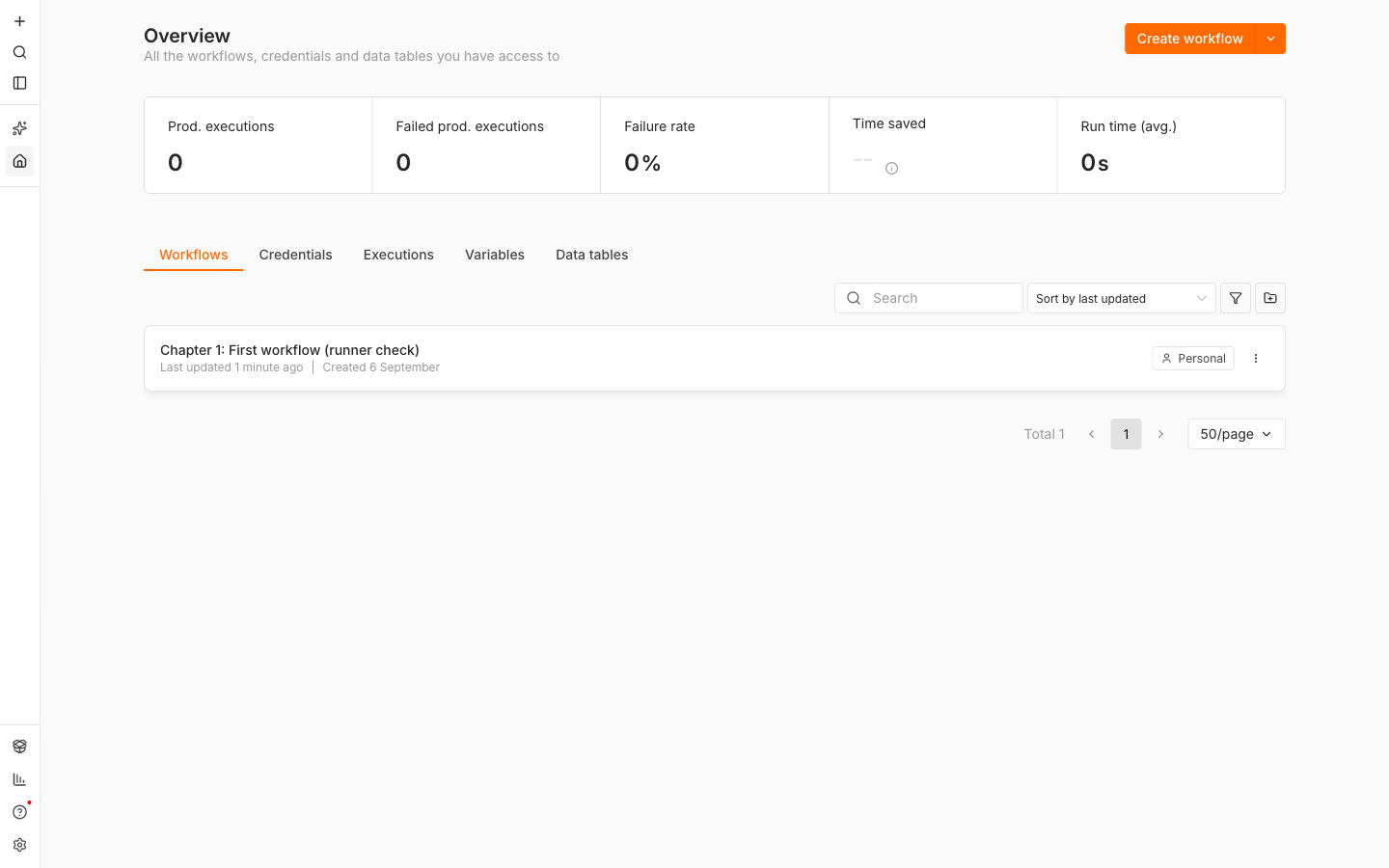
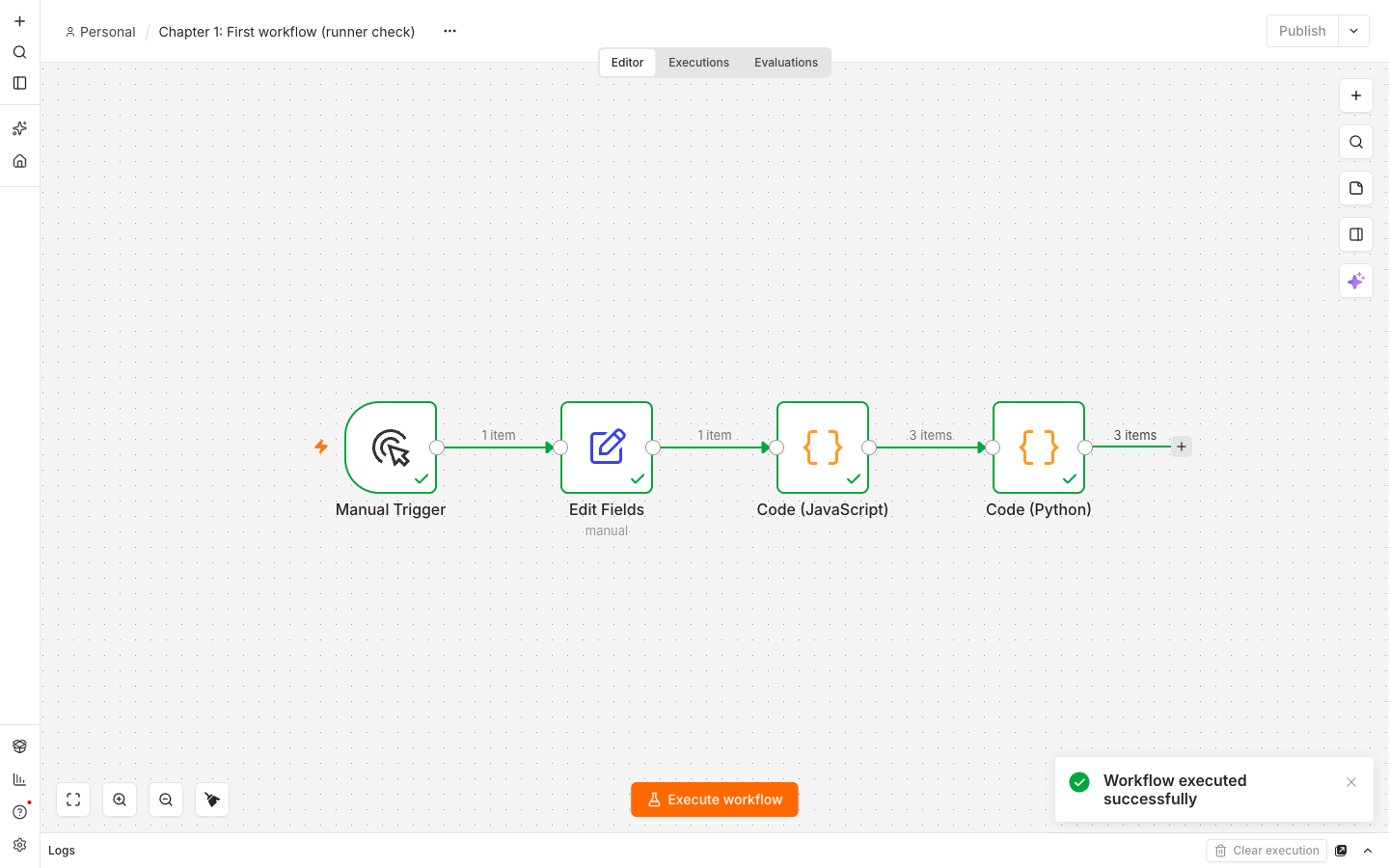
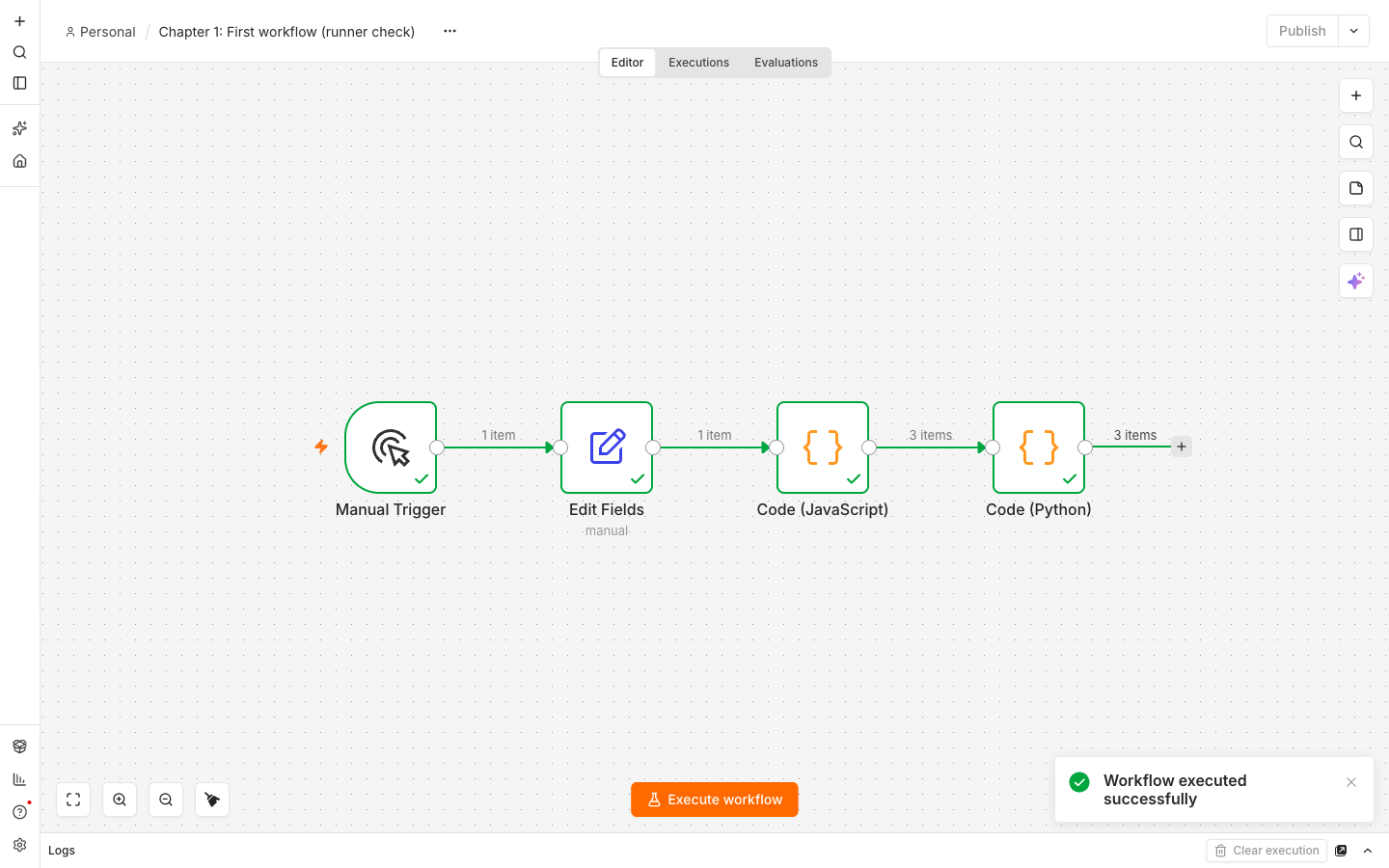
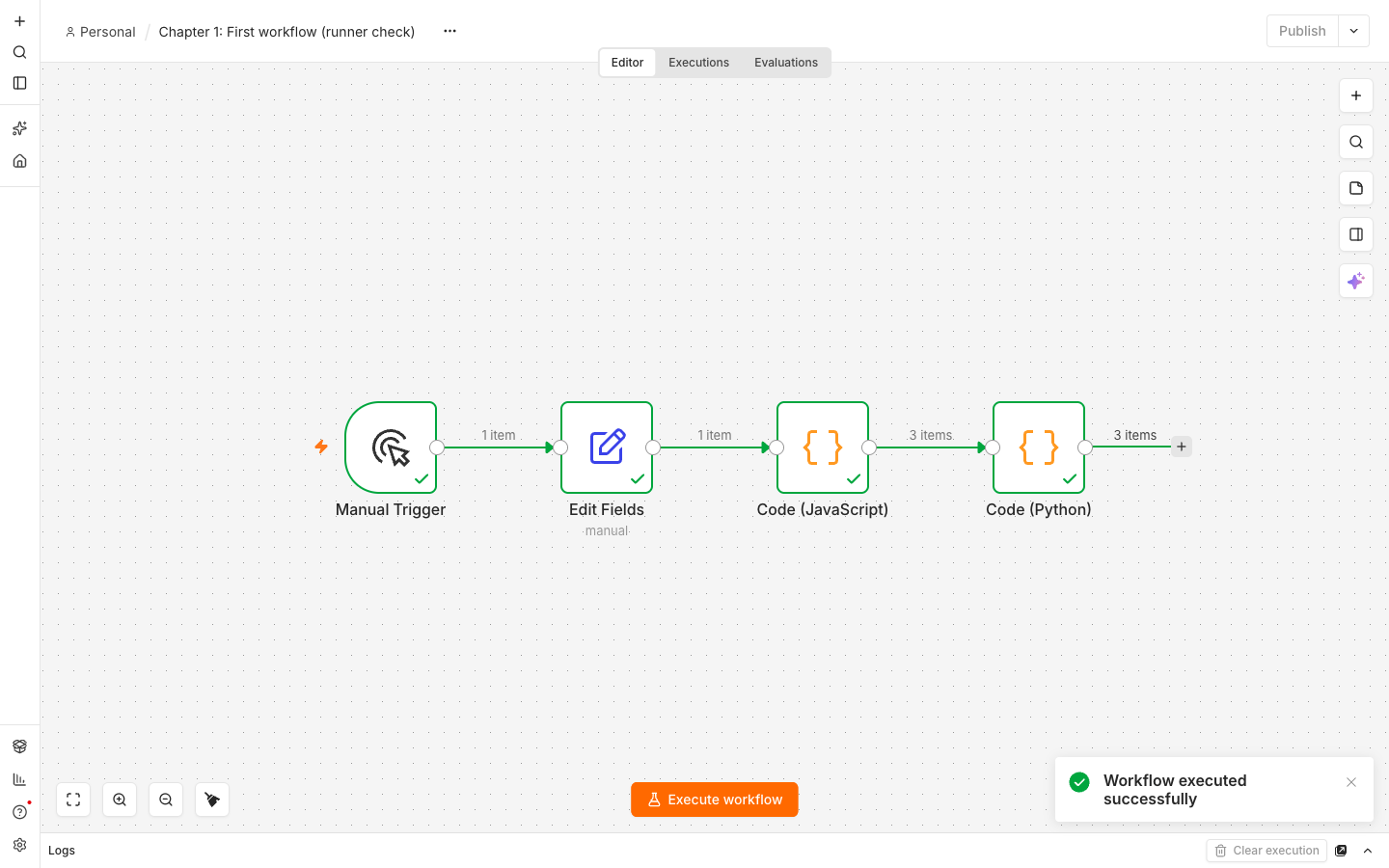
This exists to prove one specific thing: that the runners sidecar is connected. If a Code node runs, everything else is wired correctly.
-
Click Create Workflow.
-
Add a Manual Trigger node. (The old Start node was removed in 2.0; Manual Trigger replaces it.)
-
Add an Edit Fields (Set) node after it. Add a string field named
messagewith the valuehello from n8n. -
Add a Code node after that. Leave the language as JavaScript and replace the body with:
const items = $input.all(); return [{ json: { echoed: items[0].json.message, itemCount: items.length } }]; -
Click Execute workflow. The Code node should return your message and a count of
1.
-
Now change the Code node's language to Python (Native) and replace the body with one line:
return [{"json": {"engine": "python", "message": _input.first()["json"]["message"]}}] -
Execute again. Same result, different runtime.
Both runs went to the runners container. If step 5 fails with a message about no runner being available, jump to the troubleshooting section; the auth token is almost always the cause.
Save the workflow. It persists in Postgres, so it survives restarts.
8. Where the Data Lives, and What to Back Up
The stack declares three named volumes. Docker manages them; they are not folders inside ~/n8n.
docker volume ls
docker volume inspect n8n_postgres_data
Compose prefixes volume names with the project name, which defaults to the folder name, so n8n_postgres_data if your folder is n8n.
postgres_data: workflows, credentials, executions, users. Everything that matters.n8n_data:/home/node/.n8n, which holds instance settings and filesystem-mode binary data.n8n_files:/home/node/.n8n-files, the only host path nodes may read or write by default, because n8n 2.0 setsN8N_RESTRICT_FILE_ACCESS_TOto that directory.
Two things need backing up: the Postgres volume and N8N_ENCRYPTION_KEY. One without the other is useless. Restore the database without the key and every stored credential decrypts to garbage.
Dump the database to a file in your project folder:
docker compose exec -T postgres pg_dump -U n8n n8n > n8n-backup-$(date +%F).sql
Restore into a fresh stack, with the same .env in place:
docker compose exec -T postgres psql -U n8n -d n8n < n8n-backup-2026-09-05.sql
Keep a copy of N8N_ENCRYPTION_KEY somewhere that is not the laptop; a password manager entry is fine. The full guide covers backup, restore, and disaster recovery in depth.
9. Updating n8n
Updating means editing one thing: the pinned tag, on both images.
# in compose.yml, change n8nio/n8n:2.38.1 and n8nio/runners:2.38.1
# to the new version, keeping the two identical
docker compose pull
docker compose up -d
Compose recreates only the containers whose image changed. Your volumes, and therefore your workflows and credentials, are untouched. Database schema migrations run automatically when the new n8n container starts; watch docker compose logs -f n8n and let them finish.
Back up before a major version bump. If you would rather track releases than pick versions, the tag stable exists and always points at the current stable release, but then you no longer know what you are running, which is why this guide pins.
10. Stopping and Removing
Stop the stack, keeping all data:
docker compose down
Start it again with docker compose up -d. Nothing is lost.
Delete everything, including the volumes:
docker compose down -v
-v removes the named volumes. Your workflows, credentials, and users are gone and cannot be recovered without a backup. There is no confirmation prompt.
11. Why Not SQLite Here
n8n runs perfectly well on SQLite, and for a single-user laptop it would be one less container. This guide uses Postgres anyway.
The reason is continuity. Postgres is the production database for n8n: it is what queue mode requires, what every VPS and Kubernetes deployment uses, and what you would eventually migrate to. If you start on SQLite you learn one file, then throw it away and learn another. Starting on Postgres costs about 300 MB of RAM on your laptop and saves you a migration.
If you do choose SQLite for a throwaway experiment, remove the postgres service and all six DB_* variables; n8n falls back to SQLite in /home/node/.n8n. Note that SQLite now runs on the pooled driver only, tuned with DB_SQLITE_POOL_SIZE: the docs list the default as 0 (rollback journal), so set DB_SQLITE_POOL_SIZE=2 explicitly to get the pooled WAL driver. MySQL and MariaDB are not options at all; support was dropped in 2.0.
12. Troubleshooting Common Issues
Port 5678 is already in use. docker compose up -d fails with address already in use. Find the offender, or just move n8n to another port by changing the mapping to "5679:5678" and setting WEBHOOK_URL and N8N_EDITOR_BASE_URL to http://localhost:5679/ to match. The right side of the mapping is the port inside the container and does not change.
docker compose down
lsof -i :5678        # macOS and Linux
Everything is slow on Windows. Almost always a project folder on /mnt/c. Move it into your WSL home directory and run docker compose up -d again. Check with pwd inside the Ubuntu shell: you want /home/<you>/n8n, not /mnt/c/Users/.... The same applies to any bind mount you add later.
"Your n8n server is configured to use a secure cookie" when opening it from another device. You reached the editor over plain HTTP on a non-localhost address, such as http://192.168.1.20:5678. n8n refuses to send its session cookie over an insecure origin. You can turn that check off by adding to the n8n service:
N8N_SECURE_COOKIE: 'false'
Understand the tradeoff: the session cookie now travels unencrypted across your network, and anyone on that network can capture it and become you. It is acceptable for a few minutes of testing on a home LAN. It is not acceptable on shared Wi-Fi and never in production. For real access from other machines, use HTTPS behind a proxy (see our self-hosting guide for an Nginx and Let's Encrypt walkthrough) or a tunnel, which the full guide covers.
Code nodes fail, or the runner never connects. Check the sidecar's logs:
docker compose logs runners
An authentication or handshake error means N8N_RUNNERS_AUTH_TOKEN does not match between the two services. Both read it from the same .env variable, so the usual causes are a stray quote, a trailing space, or editing .env without recreating the containers. Compose only re-reads .env on up:
docker compose up -d --force-recreate
If the logs show a connection refused to http://n8n:5679, confirm N8N_RUNNERS_BROKER_LISTEN_ADDRESS: 0.0.0.0 is set on the n8n service; the broker binds to localhost otherwise and the sidecar cannot reach it.
Apple Silicon. Nothing to do. n8nio/n8n and n8nio/runners are multi-arch images with native arm64 builds. If you see a "platform mismatch" warning, you have added a platform: line somewhere. Remove it. Do not force linux/amd64; emulation is slower and buys nothing.
n8n restarts in a loop. Read docker compose logs n8n from the top. The two common causes are Postgres credentials in .env that disagree with an existing postgres_data volume (the volume keeps the password from first creation), and a changed N8N_ENCRYPTION_KEY. For the first, either restore the original password or docker compose down -v and start clean.
Further reading
- Install with Docker Compose: https://docs.n8n.io/deploy/host-n8n/install-options/install-using-docker-compose
- Set up task runners: https://docs.n8n.io/deploy/host-n8n/configure-n8n/set-up-task-runners
- Deployment environment variables: https://docs.n8n.io/deploy/host-n8n/configure-n8n/basic-configuration/use-environment-variables/deployment
- n8n 3.0 breaking changes: https://docs.n8n.io/changelog/v30-breaking-changes
- n8n 2.0 breaking changes: https://docs.n8n.io/changelog/v20-breaking-changes
Got a workflow that will not cooperate? Post it in the House of Loops community and get eyes on it fast, or join the workflow list and get new ones in your inbox as they land.
Shannon Atkinson
House of Loops is a free community for people who would rather own their automation stack than rent it: n8n, Claude Code, AI agents, local models and the self-hosting underneath them, across 44 courses in the classroom.
Join Our Community