Claude Code Best Practices for Builders (2026)
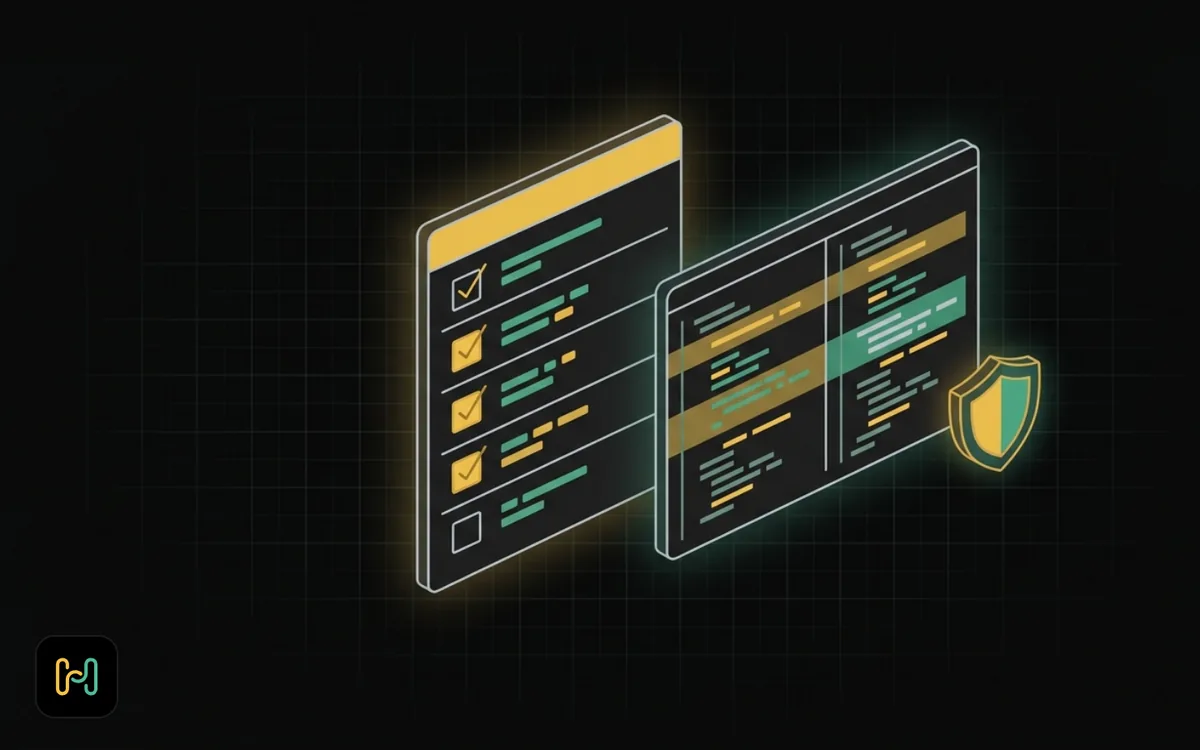
Most Claude Code advice is either a list of flags or a promise about productivity. This is neither. These are the practices that have held up for me on automation work: n8n deployments, Docker Compose stacks, deploy scripts and reverse proxy configs. Each one comes with the reason it matters, because a practice without a reason is a habit you drop the first time it is inconvenient.
Checked against the official docs and my own install on 6 September 2026, running Claude Code 2.1.263. Details move between versions, so check the docs if something here does not match what you see.
1. Write a CLAUDE.md That Is Facts, Not Wishes
A CLAUDE.md file gives Claude persistent instructions that load at the start of every session. Project files live at the repo root, personal ones at ~/.claude/CLAUDE.md.
The mistake I made early was writing aspirations into it. "Write clean code." "Be careful with production." Those cost tokens and change nothing. What works is facts the agent cannot derive from the code:
# n8n stack

- Compose file is `compose.yml` at the repo root. There is no `docker-compose.yml`.
- Deploy with `./deploy.sh staging` first, never straight to prod.
- `N8N_ENCRYPTION_KEY` lives in `.env` and must never change. Do not regenerate it.
- Postgres 18 mounts at `/var/lib/postgresql`, not `/var/lib/postgresql/data`.
- The n8n image has no `curl`. Use `wget` in healthchecks.
Every line there is something I had to correct twice. That is the test the docs suggest: add to it when Claude makes the same mistake a second time, or when a new teammate would need the same context.
Keep it short. Long files dilute. If an entry has become a multi-step procedure, move it to a skill, because a skill's body only loads when it is used. If it only applies to part of the codebase, use a path-scoped rule under .claude/rules/.
Why it matters: otherwise you pay for the same corrections every session. Writing them down once is the cheapest change on this list.
One caveat. The docs state plainly that Claude treats CLAUDE.md and auto memory as context, not as enforced configuration. It is guidance, not a guard rail. Guard rails come later.
2. Scope The Session To One Unit Of Work
Start with a job that has an end. "Add a healthcheck to the n8n service and verify it passes" is a session. "Improve the stack" is not.
The reason is mechanical. Claude Code starts each session with a fresh context window, and everything it reads fills it. A session that wandered through twelve files carries twelve files of noise into whatever you ask next. /context shows current usage as a grid, worth checking when responses start feeling vague.
Give it the boundaries up front: which files, which command proves it worked, what is out of scope.
Why it matters: output quality degrades as context fills with things that are no longer relevant. Scoping is how you keep that from happening.
3. Plan Before Edits, Every Time It Is More Than Trivial
Plan mode tells Claude to research and propose changes without making them. It reads files, runs exploratory commands and writes a plan. Edits stay blocked until you approve it.
Enter it with Shift+Tab, or prefix a prompt with /plan, or start the session in it:
claude --permission-mode plan
When the plan is ready you get three options: approve and continue automatically, approve and review each edit individually, or keep planning and say what to change. That third option is the valuable one. Correcting a plan costs one message. Correcting six files of edits costs a revert.
I use this on anything touching more than one file, and always on compose files and deploy scripts, where the failure mode is a broken service rather than a failing test.
Why it matters: it moves the review to the front, before anything has changed on disk.
4. Set Permissions Deliberately, And Know What Deny Means
Claude Code has six permission modes. default is labelled Manual and allows reads only. acceptEdits adds file edits and common filesystem commands. plan is the one above. auto lets a classifier model review actions instead of you. dontAsk allows only pre-approved tools. bypassPermissions skips checks entirely.
Shift+Tab cycles them. On Pro, Max and Team plans the built-in starting mode is auto mode, so check what you are in rather than assuming.
Modes set a baseline. Rules layer on top, and this is the sentence worth remembering: deny rules block in every mode, including bypassPermissions. Allow rules have no effect in bypassPermissions. A deny rule is the only thing that holds regardless of mode.
What I deny on any machine with real credentials:
- Anything reading
.envfiles or key material. docker compose down -vand anything else that removes volumes.git push --forceon any branch.- Direct writes to production database connections.
Open /permissions to manage rules, or put them in settings.json. A few things are never auto-approved in any mode, including rm and rmdir against critical paths. That is a sensible default, not your only protection.
Do not run --dangerously-skip-permissions on a machine that matters. The docs are direct that bypassPermissions is for isolated containers and VMs.
Why it matters: an agent with shell access on a server holding your n8n encryption key is a genuine risk. The wider version of this argument applies here too.
5. Keep Diffs Reviewable
Whether agent-written code is safe comes down to whether you actually read it. That is a function of size.
- Commit before you start. A clean working tree means
/diffshows exactly what this session did. - Ask for one change at a time. Then commit. Then ask for the next.
- Reject reformatting. If it reformatted a file while fixing one line, ask it to revert. A 200-line diff hiding a 3-line change will not get read properly and you know it.
- Use
/rewindwhen a session goes somewhere you do not want. It rewinds the conversation, the code, or both.
Why it matters: review is the only real control on agent output, and review has a size limit. Everything else here serves this one.
6. Start Fresh More Often Than Feels Necessary
/clear starts a new conversation with empty context. /compact summarises the conversation so far and frees space, optionally with focus instructions.
They are not interchangeable. Compact mid-task when you are still on the same thing and running low. Clear when the task is done and committed.
The tell that you should have cleared already: the agent refers to a decision you reversed twenty messages ago, or re-explains something it already did. No amount of prompting fixes that. Clear and restate the task in three sentences.
Why it matters: fresh context is cheap. Debugging an agent confused by its own history is not.
7. Use Subagents For Work That Would Pollute Your Context
Subagents run with their own context window and report back. The value is not parallelism for its own sake. It is that a subagent's exploration does not end up in your session.
The pattern that earns its keep: "search the whole repo and tell me which services read N8N_ENCRYPTION_KEY". That reads thirty files to produce one paragraph. Run it in a subagent and you get the paragraph without the thirty files.
Claude Code also supports git worktrees with --worktree, so parallel sessions work on isolated copies and do not collide. /list-agents shows what is available.
Why it matters: context is the scarce resource. Subagents are how you spend someone else's.
8. Hooks Are For Rules That Must Not Be Broken
A hook is a shell command that runs automatically at a point in the lifecycle. The documented events include PreToolUse, PostToolUse, UserPromptSubmit, SessionStart, SessionEnd, SubagentStart, SubagentStop, PreCompact, Stop and Notification.
The distinction that matters: CLAUDE.md is context and Claude may or may not follow it. A PreToolUse hook runs code and can block the action outright. If a rule is non-negotiable, it belongs in a hook.
Useful ones for automation work:
- A
PreToolUsehook that blocks anydocker composecommand containing-v. - A
PostToolUsehook that runsdocker compose configafter any edit tocompose.yml, so invalid YAML surfaces immediately rather than at deploy time. - A
PostToolUsehook that runs your formatter, so formatting never shows up in a diff.
/hooks shows what is configured. When something is not firing, check /doctor and /context first.
Why it matters: the difference between "I asked it not to" and "it cannot" is the difference between a preference and a guarantee.
9. Connect MCP Servers So It Sees Real Data
MCP servers let Claude Code reach real systems instead of guessing. Add one with:
claude mcp add --transport http sentry https://mcp.sentry.dev/mcp
claude mcp add my-server -e API_KEY=xxx -- npx my-mcp-server
Servers can be stdio, SSE, HTTP or WebSocket. /mcp shows status and lets you reconnect, enable or disable them.
For automation work the useful ones are the boring ones. A Postgres server so it can check the actual schema before writing a query. A monitoring server so it can read the error rather than theorise about it.
Output quality changes noticeably, because the agent stops writing plausible config and starts writing config that matches what is running. One caveat: an MCP server can hand the agent data from outside your control, and that data is input, not instruction. Do not connect a server you would not trust with the credentials it is given.
Why it matters: most bad agent output is confident guessing about state it could not see.
10. Review Before It Touches Production
None of the above replaces reading the code. What I check on anything heading to a server:
- Does the diff contain anything I did not ask for.
- Are there hardcoded values that should be environment variables.
- Does any deploy command run against production without a confirmation step.
- Did it change a version pin. Silent bumps from a pinned tag to
latestare the classic one, and exactly what the Docker Compose guide argues against.
/security-review analyses your branch against origin for vulnerabilities, and /code-review runs a multi-agent review. Both help. Neither replaces reading a diff you are about to deploy.
Why it matters: the agent has no stake in the outcome and no memory of the outage. You do.
Command And Shortcut Reference
Verified against Claude Code 2.1.263 and the current docs on 6 September 2026.
Session control
| Command | What it does |
|---|---|
/clear | Start a new conversation with empty context |
/compact [instructions] | Summarise the conversation to free context |
/context | Show context usage as a grid |
/resume [session] | Resume a conversation by id or name |
/rewind | Rewind the conversation, the code, or both |
/branch [name] | Branch the conversation to try a different direction |
Setup and configuration
| Command | What it does |
|---|---|
/init | Create a CLAUDE.md for the project |
/memory | Edit CLAUDE.md files and auto memory settings |
/permissions | Manage allow, ask and deny rules |
/hooks | View hook configuration |
/mcp | Manage MCP servers |
/model [model] | Switch model and save as the default |
/config | Open the settings interface |
/doctor | Run a setup checkup |
Work
| Command | What it does |
|---|---|
/plan [description] | Enter plan mode from the prompt |
/diff | Review working tree changes including the agent's edits |
/code-review | Multi-agent review of the changes |
/security-review | Analyse the branch diff for vulnerabilities |
/list-agents | List subagents and other session participants |
/usage | Session cost and plan usage |
Keyboard shortcuts
| Shortcut | What it does |
|---|---|
Shift+Tab | Cycle permission modes |
Esc | Interrupt Claude, or close a dialog |
Esc Esc | Clear the input draft, or rewind |
Ctrl+O | Toggle the transcript viewer |
Ctrl+R | Reverse search command history |
Ctrl+B | Background running tasks |
Ctrl+T | Toggle the task checklist |
Ctrl+C | Interrupt, or clear input |
! at line start | Shell mode |
@ | Mention a file path |
/ at line start | Run a command or skill |
Useful flags
| Flag | What it does |
|---|---|
-p, --print | Print a response and exit, for scripts |
--permission-mode <mode> | Start in a specific mode, for example plan |
--model <model> | Set the model for this session |
-c, --continue | Continue the most recent conversation |
-r, --resume [value] | Resume by session id |
-w, --worktree [name] | Create a git worktree for this session |
--add-dir <dirs...> | Allow additional working directories |
--max-budget-usd <amount> | Cap the spend on API calls |
Shortcuts vary by terminal and platform. Some Alt bindings need Option configured as Meta on macOS.
What I Am Still Unsure About
Two honest gaps. I have no reliable measure of whether any of this makes me faster. It makes output more reviewable and fewer things break, and I am confident about both. Speed claims I cannot support, so I am not making any.
Auto mode is the setting I am least settled on. It uses a second model as a classifier to review actions instead of you. On a laptop in a scratch repo it is fine. On anything with production credentials I still use Manual mode and accept the prompts. Your risk tolerance may reasonably differ.
For the comparison against the other agents in this space, see the companion post: Claude Code vs Cursor vs Codex vs OpenCode. More about who writes this and why on the about page.
There is a free Claude Code for Builders course in the House of Loops classroom that sets all of this up on a real n8n project, from the first CLAUDE.md line to a working hook.
Shannon Atkinson
House of Loops is a free community for people who would rather own their automation stack than rent it: n8n, Claude Code, AI agents, local models and the self-hosting underneath them, across 44 courses in the classroom.
Join Our Community