Enterprise Automation Architecture: Best Practices

Building automation workflows for a small team is one thing. Designing a robust, scalable automation architecture that serves an entire enterprise is another challenge altogether. This guide covers battle-tested patterns and practices for enterprise automation systems that handle millions of executions, serve thousands of users, and maintain 99.9%+ uptime.
Enterprise Automation Challenges
Before diving into solutions, let's understand the unique challenges enterprises face:
Scale and Performance
- Volume: Handling 10M+ workflow executions per month
- Concurrency: Supporting 1000+ concurrent workflows
- Throughput: Processing 100K+ events per hour
- Latency: Sub-second response times for critical workflows
Security and Compliance
- Data governance: SOC 2, GDPR, HIPAA compliance
- Access control: Role-based and attribute-based permissions
- Audit trails: Complete execution history and change tracking
- Secrets management: Secure credential storage and rotation
Reliability and Operations
- High availability: 99.9%+ uptime SLA
- Disaster recovery: RPO < 1 hour, RTO < 4 hours
- Monitoring: Real-time alerts and observability
- Support: 24/7 operations team coverage
Integration Complexity
- Legacy systems: Mainframes, on-premise databases, SOAP APIs
- Modern SaaS: 100+ cloud applications
- Custom applications: Internal tools and microservices
- Data formats: JSON, XML, CSV, EDI, and proprietary formats
Reference Architecture
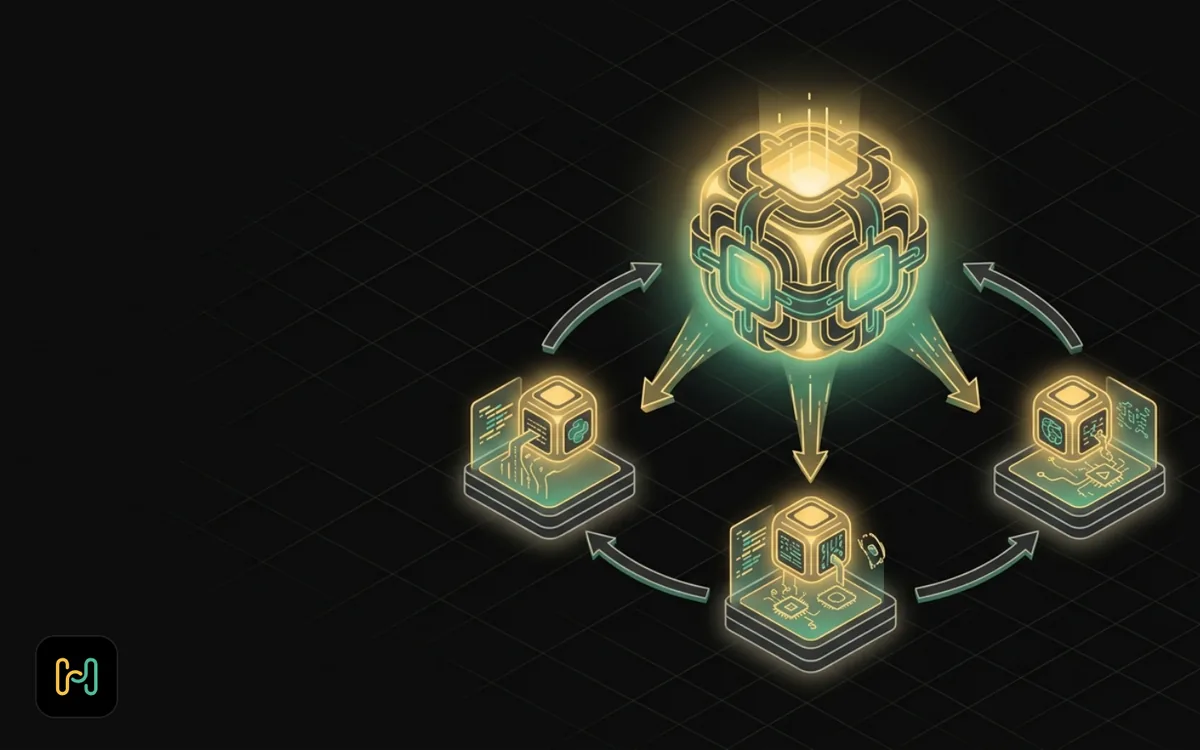
Here's a production-grade enterprise automation architecture:
┌─────────────────────────────────────────────────────────────────┐
│                        External Users/Systems                    │
│              (Web, Mobile, APIs, Third-party Services)          │
└────────────────┬──────────────────┬─────────────────────────────┘
                 │                  │
┌────────────────▼──────────────────▼─────────────────────────────┐
│                    API Gateway Layer                             │
│  ┌──────────────┐  ┌──────────────┐  ┌───────────────────────┐ │
│  │     Kong     │  │   Auth0/     │  │   Rate Limiting &     │ │
│  │   Gateway    │  │   Okta       │  │   Throttling          │ │
│  └──────────────┘  └──────────────┘  └───────────────────────┘ │
└────────────────┬────────────────────────────────────────────────┘
                 │
┌────────────────▼────────────────────────────────────────────────┐
│                  Load Balancer (HAProxy/NGINX)                  │
└─────────┬────────────────┬────────────────┬─────────────────────┘
          │                │                │
┌─────────▼────────┐ ┌────▼─────────┐ ┌───▼──────────────────────┐
│  n8n Cluster     │ │  n8n Cluster │ │   n8n Cluster            │
│   (Primary)      │ │  (Secondary) │ │   (DR Site)              │
│                  │ │              │ │                          │
│ ┌──────────────┐ │ │ ┌──────────┐ │ │ ┌──────────────────────┐ │
│ │  Worker Pool │ │ │ │  Worker  │ │ │ │    Worker Pool       │ │
│ │   (10 nodes) │ │ │ │   Pool   │ │ │ │     (5 nodes)        │ │
│ └──────────────┘ │ │ └──────────┘ │ │ └──────────────────────┘ │
└─────────┬────────┘ └────┬─────────┘ └───┬──────────────────────┘
          │                │                │
┌─────────▼────────────────▼────────────────▼─────────────────────┐
│                    Data & State Layer                            │
│  ┌──────────────┐  ┌──────────────┐  ┌────────────────────────┐│
│  │  PostgreSQL  │  │    Redis     │  │   Message Queue        ││
│  │   (Primary)  │  │   Cluster    │  │   (RabbitMQ/Kafka)     ││
│  │  + Replicas  │  │              │  │                        ││
│  └──────────────┘  └──────────────┘  └────────────────────────┘│
└─────────────────────────────────────────────────────────────────┘
          │                │                │
┌─────────▼────────────────▼────────────────▼─────────────────────┐
│                  Integration & Service Layer                     │
│  ┌──────────────┐  ┌──────────────┐  ┌────────────────────────┐│
│  │  Enterprise  │  │   Logging    │  │     Monitoring         ││
│  │  Service Bus │  │  (ELK/Splunk)│  │  (Prometheus/Grafana)  ││
│  └──────────────┘  └──────────────┘  └────────────────────────┘│
│  ┌──────────────┐  ┌──────────────┐  ┌────────────────────────┐│
│  │   Secrets    │  │    Backup    │  │    Alert Manager       ││
│  │    Vault     │  │   Service    │  │   (PagerDuty/Opsgenie) ││
│  └──────────────┘  └──────────────┘  └────────────────────────┘│
└─────────────────────────────────────────────────────────────────┘
Layer-by-Layer Architecture
1. API Gateway Layer
The front door to your automation platform.
Kong API Gateway Configuration
# kong.yml
_format_version: '3.0'

services:
  - name: n8n-service
    url: http://n8n-cluster:5678
    routes:
      - name: n8n-routes
        paths:
          - /webhook
          - /rest
    plugins:
      - name: rate-limiting
        config:
          minute: 1000
          hour: 50000
          policy: redis
          redis:
            host: redis-cluster
            port: 6379
      - name: request-size-limiting
        config:
          allowed_payload_size: 10
      - name: correlation-id
        config:
          header_name: X-Correlation-ID
          generator: uuid
      - name: ip-restriction
        config:
          allow:
            - 10.0.0.0/8
            - 172.16.0.0/12
Authentication Layer
Integrate with enterprise identity providers:
// n8n HTTP Request node for Auth0 validation
const validateToken = async token => {
  const response = await fetch('https://your-tenant.auth0.com/userinfo', {
    headers: {
      Authorization: `Bearer ${token}`,
    },
  });

  if (!response.ok) {
    throw new Error('Invalid token');
  }

  const user = await response.json();

  // Check user permissions
  const permissions = user['https://your-app/permissions'] || [];

  return {
    user_id: user.sub,
    email: user.email,
    permissions: permissions,
    org_id: user['https://your-app/org_id'],
  };
};
2. High Availability n8n Cluster
Deploy n8n in a highly available configuration.
Docker Compose for n8n Cluster
# docker-compose.yml
version: '3.8'

services:
  n8n-main:
    image: n8nio/n8n:latest
    deploy:
      replicas: 3
      update_config:
        parallelism: 1
        delay: 10s
      restart_policy:
        condition: on-failure
        max_attempts: 3
    environment:
      - N8N_ENCRYPTION_KEY=${N8N_ENCRYPTION_KEY}
      - DB_TYPE=postgresdb
      - DB_POSTGRESDB_HOST=postgres-primary
      - DB_POSTGRESDB_PORT=5432
      - DB_POSTGRESDB_DATABASE=${POSTGRES_DB}
      - DB_POSTGRESDB_USER=${POSTGRES_USER}
      - DB_POSTGRESDB_PASSWORD=${POSTGRES_PASSWORD}
      - EXECUTIONS_MODE=queue
      - QUEUE_BULL_REDIS_HOST=redis-cluster
      - QUEUE_BULL_REDIS_PORT=6379
      - QUEUE_BULL_REDIS_DB=0
      - QUEUE_HEALTH_CHECK_ACTIVE=true
      - N8N_BASIC_AUTH_ACTIVE=false
      - N8N_DISABLE_UI=true
      - N8N_LOG_LEVEL=info
      - N8N_LOG_OUTPUT=console
      - WEBHOOK_URL=https://automation.company.com
      - GENERIC_TIMEZONE=America/New_York
      - N8N_METRICS=true
      - N8N_METRICS_PREFIX=n8n_
    healthcheck:
      test: ['CMD', 'wget', '--spider', '-q', 'http://localhost:5678/healthz']
      interval: 30s
      timeout: 10s
      retries: 3
      start_period: 60s
    networks:
      - automation-network
    volumes:
      - n8n-data:/home/node/.n8n

  n8n-worker:
    image: n8nio/n8n:latest
    deploy:
      replicas: 10
      resources:
        limits:
          cpus: '2'
          memory: 4G
        reservations:
          cpus: '1'
          memory: 2G
    environment:
      - N8N_ENCRYPTION_KEY=${N8N_ENCRYPTION_KEY}
      - DB_TYPE=postgresdb
      - DB_POSTGRESDB_HOST=postgres-primary
      - DB_POSTGRESDB_PORT=5432
      - DB_POSTGRESDB_DATABASE=${POSTGRES_DB}
      - DB_POSTGRESDB_USER=${POSTGRES_USER}
      - DB_POSTGRESDB_PASSWORD=${POSTGRES_PASSWORD}
      - EXECUTIONS_MODE=queue
      - QUEUE_BULL_REDIS_HOST=redis-cluster
      - QUEUE_BULL_REDIS_PORT=6379
      - QUEUE_WORKER_ID=${HOSTNAME}
      - N8N_LOG_LEVEL=info
    command: worker
    networks:
      - automation-network

  postgres-primary:
    image: postgres:15-alpine
    environment:
      - POSTGRES_DB=${POSTGRES_DB}
      - POSTGRES_USER=${POSTGRES_USER}
      - POSTGRES_PASSWORD=${POSTGRES_PASSWORD}
      - POSTGRES_MAX_CONNECTIONS=200
      - POSTGRES_SHARED_BUFFERS=2GB
    volumes:
      - postgres-data:/var/lib/postgresql/data
      - ./postgres-config:/etc/postgresql
    command: postgres -c config_file=/etc/postgresql/postgresql.conf
    networks:
      - automation-network

  postgres-replica:
    image: postgres:15-alpine
    environment:
      - POSTGRES_PRIMARY_HOST=postgres-primary
      - POSTGRES_REPLICATION_MODE=slave
    networks:
      - automation-network

  redis-cluster:
    image: redis:7-alpine
    command: redis-server --appendonly yes --cluster-enabled yes
    volumes:
      - redis-data:/data
    networks:
      - automation-network

networks:
  automation-network:
    driver: overlay
    attachable: true

volumes:
  n8n-data:
  postgres-data:
  redis-data:
3. Database Layer Optimization
PostgreSQL Configuration for High Performance
# postgresql.conf
# Connection Settings
max_connections = 200
shared_buffers = 4GB
effective_cache_size = 12GB
maintenance_work_mem = 1GB
work_mem = 20MB

# WAL Settings for Replication
wal_level = replica
max_wal_senders = 10
max_replication_slots = 10
wal_keep_size = 1GB

# Query Performance
random_page_cost = 1.1
effective_io_concurrency = 200
max_worker_processes = 8
max_parallel_workers_per_gather = 4
max_parallel_workers = 8

# Checkpoint Settings
checkpoint_completion_target = 0.9
wal_buffers = 16MB
default_statistics_target = 100

# Logging
logging_collector = on
log_directory = 'pg_log'
log_filename = 'postgresql-%Y-%m-%d_%H%M%S.log'
log_rotation_age = 1d
log_rotation_size = 1GB
log_min_duration_statement = 1000
log_checkpoints = on
log_connections = on
log_disconnections = on
log_lock_waits = on
Database Indexing Strategy
-- Optimize n8n execution queries
CREATE INDEX CONCURRENTLY idx_executions_workflow_started
  ON execution_entity(workflow_id, started_at DESC);

CREATE INDEX CONCURRENTLY idx_executions_status
  ON execution_entity(status) WHERE status != 'success';

CREATE INDEX CONCURRENTLY idx_executions_waiting
  ON execution_entity(waiting_till)
  WHERE waiting_till IS NOT NULL;

-- Optimize webhook queries
CREATE INDEX CONCURRENTLY idx_webhook_path_method
  ON webhook_entity(webhook_path, method);

-- Partition large tables
CREATE TABLE execution_entity_2025_01 PARTITION OF execution_entity
  FOR VALUES FROM ('2025-01-01') TO ('2025-02-01');

CREATE TABLE execution_entity_2025_02 PARTITION OF execution_entity
  FOR VALUES FROM ('2025-02-01') TO ('2025-03-01');

-- Automated partition management
CREATE OR REPLACE FUNCTION create_monthly_partition()
RETURNS void AS $$
DECLARE
  partition_date DATE;
  partition_name TEXT;
  start_date TEXT;
  end_date TEXT;
BEGIN
  partition_date := DATE_TRUNC('month', CURRENT_DATE + INTERVAL '1 month');
  partition_name := 'execution_entity_' || TO_CHAR(partition_date, 'YYYY_MM');
  start_date := TO_CHAR(partition_date, 'YYYY-MM-DD');
  end_date := TO_CHAR(partition_date + INTERVAL '1 month', 'YYYY-MM-DD');

  EXECUTE format('CREATE TABLE IF NOT EXISTS %I PARTITION OF execution_entity FOR VALUES FROM (%L) TO (%L)',
    partition_name, start_date, end_date);
END;
$$ LANGUAGE plpgsql;

-- Schedule partition creation
SELECT cron.schedule('create-monthly-partitions', '0 0 1 * *', 'SELECT create_monthly_partition()');
4. Queue Management
For high-volume workflows, proper queue management is critical.
Redis Queue Configuration
// Custom queue settings for different workflow types
const queueConfigs = {
  critical: {
    priority: 1,
    attempts: 5,
    backoff: {
      type: 'exponential',
      delay: 2000,
    },
    timeout: 30000,
    removeOnComplete: 100,
    removeOnFail: 1000,
  },
  standard: {
    priority: 5,
    attempts: 3,
    backoff: {
      type: 'exponential',
      delay: 5000,
    },
    timeout: 300000,
    removeOnComplete: 50,
    removeOnFail: 500,
  },
  batch: {
    priority: 10,
    attempts: 2,
    backoff: {
      type: 'fixed',
      delay: 30000,
    },
    timeout: 3600000,
    removeOnComplete: 10,
    removeOnFail: 100,
  },
};

// Workflow classification
const getQueueConfig = workflowData => {
  const tags = workflowData.tags || [];

  if (tags.includes('critical') || tags.includes('realtime')) {
    return queueConfigs.critical;
  }

  if (tags.includes('batch') || tags.includes('bulk')) {
    return queueConfigs.batch;
  }

  return queueConfigs.standard;
};
Queue Monitoring
// Queue health monitoring workflow
const monitorQueues = async () => {
  const Bull = require('bull');
  const queue = new Bull('n8n-queue', {
    redis: {
      host: process.env.REDIS_HOST,
      port: process.env.REDIS_PORT,
    },
  });

  const metrics = {
    waiting: await queue.getWaitingCount(),
    active: await queue.getActiveCount(),
    delayed: await queue.getDelayedCount(),
    failed: await queue.getFailedCount(),
    completed: await queue.getCompletedCount(),
  };

  // Alert if queue is backing up
  if (metrics.waiting > 10000) {
    await sendAlert({
      severity: 'warning',
      message: `Queue backlog: ${metrics.waiting} jobs waiting`,
      metrics: metrics,
    });
  }

  // Alert if failure rate is high
  const failureRate = metrics.failed / (metrics.completed + metrics.failed);
  if (failureRate > 0.05) {
    // 5% failure threshold
    await sendAlert({
      severity: 'critical',
      message: `High failure rate: ${(failureRate * 100).toFixed(2)}%`,
      metrics: metrics,
    });
  }

  return metrics;
};
5. Security Framework
Secrets Management with HashiCorp Vault
// Vault integration for n8n credentials
const Vault = require('node-vault');

const vault = Vault({
  apiVersion: 'v1',
  endpoint: process.env.VAULT_ADDR,
  token: process.env.VAULT_TOKEN,
});

// Store credential
const storeCredential = async (credentialName, credentialData) => {
  await vault.write(`secret/data/n8n/credentials/${credentialName}`, {
    data: credentialData,
  });
};

// Retrieve credential
const getCredential = async credentialName => {
  const result = await vault.read(`secret/data/n8n/credentials/${credentialName}`);
  return result.data.data;
};

// Rotate credentials automatically
const rotateCredentials = async () => {
  const credentials = await vault.list('secret/metadata/n8n/credentials');

  for (const credName of credentials.data.keys) {
    const metadata = await vault.read(`secret/metadata/n8n/credentials/${credName}`);
    const created = new Date(metadata.data.created_time);
    const daysSinceCreation = (Date.now() - created) / (1000 * 60 * 60 * 24);

    if (daysSinceCreation > 90) {
      await sendAlert({
        severity: 'warning',
        message: `Credential ${credName} is ${daysSinceCreation.toFixed(0)} days old and should be rotated`,
      });
    }
  }
};
Row-Level Security
-- Enable row-level security
ALTER TABLE workflow_entity ENABLE ROW LEVEL SECURITY;
ALTER TABLE execution_entity ENABLE ROW LEVEL SECURITY;

-- Create policies for multi-tenant isolation
CREATE POLICY tenant_isolation ON workflow_entity
  USING (organization_id = current_setting('app.current_organization')::int);

CREATE POLICY tenant_isolation ON execution_entity
  USING (organization_id = current_setting('app.current_organization')::int);

-- Function to set tenant context
CREATE OR REPLACE FUNCTION set_tenant_context(org_id INT)
RETURNS void AS $$
BEGIN
  PERFORM set_config('app.current_organization', org_id::text, false);
END;
$$ LANGUAGE plpgsql SECURITY DEFINER;
6. Observability and Monitoring
Prometheus Metrics Export
// Custom metrics for n8n workflows
const prometheus = require('prom-client');

// Register metrics
const workflowExecutions = new prometheus.Counter({
  name: 'n8n_workflow_executions_total',
  help: 'Total number of workflow executions',
  labelNames: ['workflow_id', 'workflow_name', 'status'],
});

const workflowDuration = new prometheus.Histogram({
  name: 'n8n_workflow_duration_seconds',
  help: 'Workflow execution duration in seconds',
  labelNames: ['workflow_id', 'workflow_name'],
  buckets: [0.1, 0.5, 1, 5, 10, 30, 60, 300, 600],
});

const nodeExecutions = new prometheus.Counter({
  name: 'n8n_node_executions_total',
  help: 'Total number of node executions',
  labelNames: ['node_type', 'status'],
});

const queueSize = new prometheus.Gauge({
  name: 'n8n_queue_size',
  help: 'Current size of the execution queue',
  labelNames: ['queue_type'],
});

// Record metrics in workflow
const recordWorkflowMetrics = execution => {
  workflowExecutions.inc({
    workflow_id: execution.workflowId,
    workflow_name: execution.workflowName,
    status: execution.status,
  });

  const duration = (execution.finishedAt - execution.startedAt) / 1000;
  workflowDuration.observe(
    {
      workflow_id: execution.workflowId,
      workflow_name: execution.workflowName,
    },
    duration
  );

  // Record node metrics
  execution.nodes?.forEach(node => {
    nodeExecutions.inc({
      node_type: node.type,
      status: node.status,
    });
  });
};
Grafana Dashboard Configuration
{
  "dashboard": {
    "title": "n8n Enterprise Monitoring",
    "panels": [
      {
        "title": "Workflow Execution Rate",
        "targets": [
          {
            "expr": "rate(n8n_workflow_executions_total[5m])",
            "legendFormat": "{{workflow_name}}"
          }
        ]
      },
      {
        "title": "Workflow Success Rate",
        "targets": [
          {
            "expr": "sum(rate(n8n_workflow_executions_total{status='success'}[5m])) / sum(rate(n8n_workflow_executions_total[5m]))",
            "legendFormat": "Success Rate"
          }
        ]
      },
      {
        "title": "P95 Execution Duration",
        "targets": [
          {
            "expr": "histogram_quantile(0.95, rate(n8n_workflow_duration_seconds_bucket[5m]))",
            "legendFormat": "{{workflow_name}}"
          }
        ]
      },
      {
        "title": "Queue Depth",
        "targets": [
          {
            "expr": "n8n_queue_size",
            "legendFormat": "{{queue_type}}"
          }
        ]
      }
    ]
  }
}
7. Disaster Recovery
Automated Backup Strategy
#!/bin/bash
# backup-n8n.sh

# Configuration
BACKUP_DIR="/backups/n8n"
RETENTION_DAYS=30
S3_BUCKET="s3://company-backups/n8n"
TIMESTAMP=$(date +%Y%m%d_%H%M%S)

# Create backup directory
mkdir -p "$BACKUP_DIR/$TIMESTAMP"

# Backup PostgreSQL database
echo "Backing up PostgreSQL..."
pg_dump -h $POSTGRES_HOST -U $POSTGRES_USER -d $POSTGRES_DB \
  --format=custom \
  --file="$BACKUP_DIR/$TIMESTAMP/n8n-database.dump"

# Backup n8n data directory
echo "Backing up n8n data..."
tar -czf "$BACKUP_DIR/$TIMESTAMP/n8n-data.tar.gz" /home/node/.n8n

# Backup configuration
echo "Backing up configuration..."
kubectl get configmaps -n n8n -o yaml > "$BACKUP_DIR/$TIMESTAMP/configmaps.yaml"
kubectl get secrets -n n8n -o yaml > "$BACKUP_DIR/$TIMESTAMP/secrets.yaml"

# Upload to S3
echo "Uploading to S3..."
aws s3 sync "$BACKUP_DIR/$TIMESTAMP" "$S3_BUCKET/$TIMESTAMP" \
  --storage-class STANDARD_IA

# Cleanup old backups
echo "Cleaning up old backups..."
find "$BACKUP_DIR" -type d -mtime +$RETENTION_DAYS -exec rm -rf {} +

# Verify backup
echo "Verifying backup..."
aws s3 ls "$S3_BUCKET/$TIMESTAMP/" | grep -q "n8n-database.dump"
if [ $? -eq 0 ]; then
  echo "Backup completed successfully"
else
  echo "Backup verification failed!" >&2
  exit 1
fi
Recovery Procedures
#!/bin/bash
# restore-n8n.sh

BACKUP_TIMESTAMP=$1
S3_BUCKET="s3://company-backups/n8n"
RESTORE_DIR="/tmp/n8n-restore"

if [ -z "$BACKUP_TIMESTAMP" ]; then
  echo "Usage: $0 <backup_timestamp>"
  exit 1
fi

# Download from S3
echo "Downloading backup from S3..."
mkdir -p "$RESTORE_DIR"
aws s3 sync "$S3_BUCKET/$BACKUP_TIMESTAMP" "$RESTORE_DIR"

# Stop n8n services
echo "Stopping n8n services..."
kubectl scale deployment n8n-main --replicas=0 -n n8n
kubectl scale deployment n8n-worker --replicas=0 -n n8n

# Restore database
echo "Restoring database..."
pg_restore -h $POSTGRES_HOST -U $POSTGRES_USER -d $POSTGRES_DB \
  --clean --if-exists \
  "$RESTORE_DIR/n8n-database.dump"

# Restore n8n data
echo "Restoring n8n data..."
tar -xzf "$RESTORE_DIR/n8n-data.tar.gz" -C /

# Restore configuration
echo "Restoring configuration..."
kubectl apply -f "$RESTORE_DIR/configmaps.yaml"
kubectl apply -f "$RESTORE_DIR/secrets.yaml"

# Restart n8n services
echo "Starting n8n services..."
kubectl scale deployment n8n-main --replicas=3 -n n8n
kubectl scale deployment n8n-worker --replicas=10 -n n8n

# Verify restoration
echo "Verifying restoration..."
sleep 30
kubectl get pods -n n8n | grep Running
if [ $? -eq 0 ]; then
  echo "Restoration completed successfully"
else
  echo "Restoration verification failed!" >&2
  exit 1
fi
Governance and Operations
Change Management Process
# workflow-approval.yml
# GitOps-based workflow approval process

apiVersion: v1
kind: Workflow
metadata:
  name: workflow-change-approval
spec:
  steps:
    - name: validate-workflow
      script: |
        # Validate workflow JSON schema
        # Check for security issues
        # Verify credential references
        # Test in staging environment

    - name: peer-review
      approval:
        required_reviewers: 2
        allowed_reviewers:
          - engineering-team
        timeout: 48h

    - name: security-review
      approval:
        required_reviewers: 1
        allowed_reviewers:
          - security-team
        timeout: 24h
        condition: workflow.uses_sensitive_data

    - name: deploy-to-staging
      script: |
        kubectl apply -f workflow.yaml -n n8n-staging

    - name: integration-tests
      script: |
        npm run test:integration

    - name: production-approval
      approval:
        required_reviewers: 1
        allowed_reviewers:
          - platform-owners
        timeout: 24h

    - name: deploy-to-production
      script: |
        kubectl apply -f workflow.yaml -n n8n-production
Cost Management
// Cost tracking and optimization
const trackWorkflowCosts = async execution => {
  const costs = {
    compute_time: calculateComputeCost(execution.duration),
    api_calls: calculateAPICallCosts(execution.nodes),
    data_transfer: calculateDataTransferCost(execution.dataSize),
    storage: calculateStorageCost(execution.dataRetention),
  };

  const totalCost = Object.values(costs).reduce((a, b) => a + b, 0);

  await supabase.from('workflow_costs').insert({
    workflow_id: execution.workflowId,
    execution_id: execution.id,
    costs: costs,
    total_cost: totalCost,
    timestamp: new Date(),
  });

  // Alert on high-cost workflows
  if (totalCost > 10) {
    // $10 threshold
    await sendAlert({
      severity: 'info',
      message: `High-cost workflow execution: ${execution.workflowName} cost $${totalCost.toFixed(2)}`,
      workflow_id: execution.workflowId,
    });
  }
};

// Monthly cost reporting
const generateCostReport = async month => {
  const report = await supabase
    .from('workflow_costs')
    .select('workflow_id, workflow_name, sum(total_cost) as monthly_cost')
    .gte('timestamp', `${month}-01`)
    .lt('timestamp', `${month + 1}-01`)
    .groupBy('workflow_id', 'workflow_name')
    .order('monthly_cost', { ascending: false });

  return report;
};
Performance Optimization Strategies
Workflow Design Patterns
- Micro-workflows: Break large workflows into smaller, reusable components
- Lazy loading: Only fetch data when needed
- Batching: Process multiple items together
- Caching: Store frequently accessed data
- Async processing: Use queues for long-running tasks
Database Query Optimization
// Bad: N+1 query problem
for (const user of users) {
  const orders = await getOrders(user.id);
  // Process orders
}

// Good: Batch query
const userIds = users.map(u => u.id);
const allOrders = await getOrdersBatch(userIds);
const ordersByUser = groupBy(allOrders, 'user_id');

for (const user of users) {
  const orders = ordersByUser[user.id] || [];
  // Process orders
}
Caching Strategy
// Multi-level caching
const cache = {
  // L1: In-memory cache (fast, small)
  memory: new Map(),

  // L2: Redis cache (fast, larger)
  redis: redisClient,

  // L3: Database (slower, permanent)
  database: postgresClient,
};

const getCachedData = async key => {
  // Check L1
  if (cache.memory.has(key)) {
    return cache.memory.get(key);
  }

  // Check L2
  const redisValue = await cache.redis.get(key);
  if (redisValue) {
    cache.memory.set(key, redisValue);
    return redisValue;
  }

  // Check L3
  const dbValue = await cache.database.query('SELECT * FROM cache WHERE key = $1', [key]);
  if (dbValue) {
    await cache.redis.set(key, dbValue, 'EX', 3600);
    cache.memory.set(key, dbValue);
    return dbValue;
  }

  return null;
};
Compliance and Audit
Audit Logging
-- Comprehensive audit trail
CREATE TABLE audit_log (
  id SERIAL PRIMARY KEY,
  timestamp TIMESTAMP DEFAULT NOW(),
  user_id VARCHAR(255),
  action VARCHAR(100),
  resource_type VARCHAR(100),
  resource_id VARCHAR(255),
  old_value JSONB,
  new_value JSONB,
  ip_address INET,
  user_agent TEXT,
  session_id VARCHAR(255)
);

-- Trigger for workflow changes
CREATE OR REPLACE FUNCTION audit_workflow_changes()
RETURNS TRIGGER AS $$
BEGIN
  INSERT INTO audit_log (user_id, action, resource_type, resource_id, old_value, new_value)
  VALUES (
    current_setting('app.current_user'),
    TG_OP,
    'workflow',
    NEW.id,
    row_to_json(OLD),
    row_to_json(NEW)
  );
  RETURN NEW;
END;
$$ LANGUAGE plpgsql;

CREATE TRIGGER workflow_audit
  AFTER INSERT OR UPDATE OR DELETE ON workflow_entity
  FOR EACH ROW EXECUTE FUNCTION audit_workflow_changes();
Migration and Integration Patterns
Legacy System Integration
// Adapter pattern for legacy SOAP services
class LegacySystemAdapter {
  constructor(wsdlUrl) {
    this.client = soap.createClient(wsdlUrl);
  }

  async callLegacyService(operation, params) {
    try {
      const result = await this.client[operation](params);
      return this.transformResponse(result);
    } catch (error) {
      // Handle common legacy system errors
      if (error.code === 'TIMEOUT') {
        await this.logError('Legacy system timeout', { operation, params });
        throw new Error('Service temporarily unavailable');
      }
      throw error;
    }
  }

  transformResponse(legacyResponse) {
    // Transform XML/SOAP response to modern JSON
    return {
      success: legacyResponse.status === '0',
      data: this.parseData(legacyResponse.data),
      metadata: {
        timestamp: new Date().toISOString(),
        source: 'legacy_system',
      },
    };
  }
}
Join the Community
Building enterprise automation architecture requires expertise across multiple domains. The House of Loops community brings together platform engineers, DevOps specialists, and automation architects who are solving these challenges every day.
Join us to:
- Access enterprise architecture templates
- Share learnings from production deployments
- Get expert review of your automation designs
- Participate in architecture review sessions
- Connect with other enterprise practitioners
Join House of Loops Today and get startup credits and discounts to build your enterprise automation platform.
Need help designing your enterprise automation architecture? Our community has experts ready to help!
Shannon Atkinson
House of Loops is a free community for people who would rather own their automation stack than rent it: n8n, Claude Code, AI agents, local models and the self-hosting underneath them, across 44 courses in the classroom.
Join Our Community